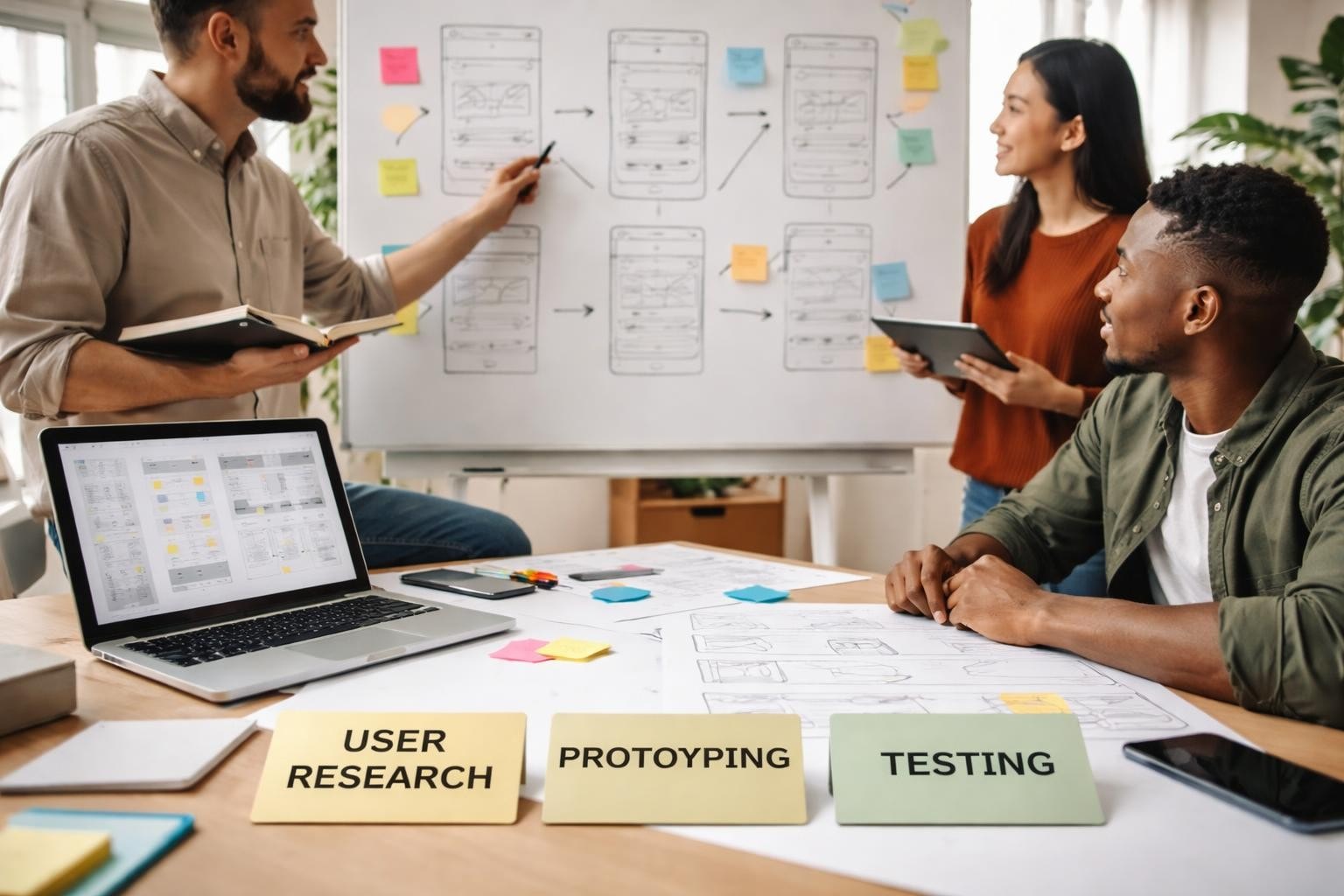

Application in design represents the practical implementation of design principles, methodologies, and user-centric approaches to create digital products that solve real problems. For entrepreneurs and startup founders, understanding how design applies to product development isn't merely aesthetic consideration-it's a strategic advantage that determines whether an MVP gains traction or fails to resonate with users. This intersection of theory and practice shapes every decision, from initial wireframes to final deployment, ensuring that products serve genuine user needs whilst maintaining technical feasibility.
The application in design encompasses far more than choosing colour palettes or arranging interface elements. It represents a systematic approach to translating user requirements, business objectives, and technical constraints into functional products.
When founders approach product development, they must consider how user-centered design principles influence every aspect of their application. These principles form the foundation upon which successful digital products are built, particularly when resources are limited and market validation is critical.
Key considerations include:
The practical application in design requires balancing competing priorities. A beautifully designed interface means nothing if users cannot complete their primary tasks efficiently. Conversely, functional applications with poor design reduce adoption rates and increase support costs.
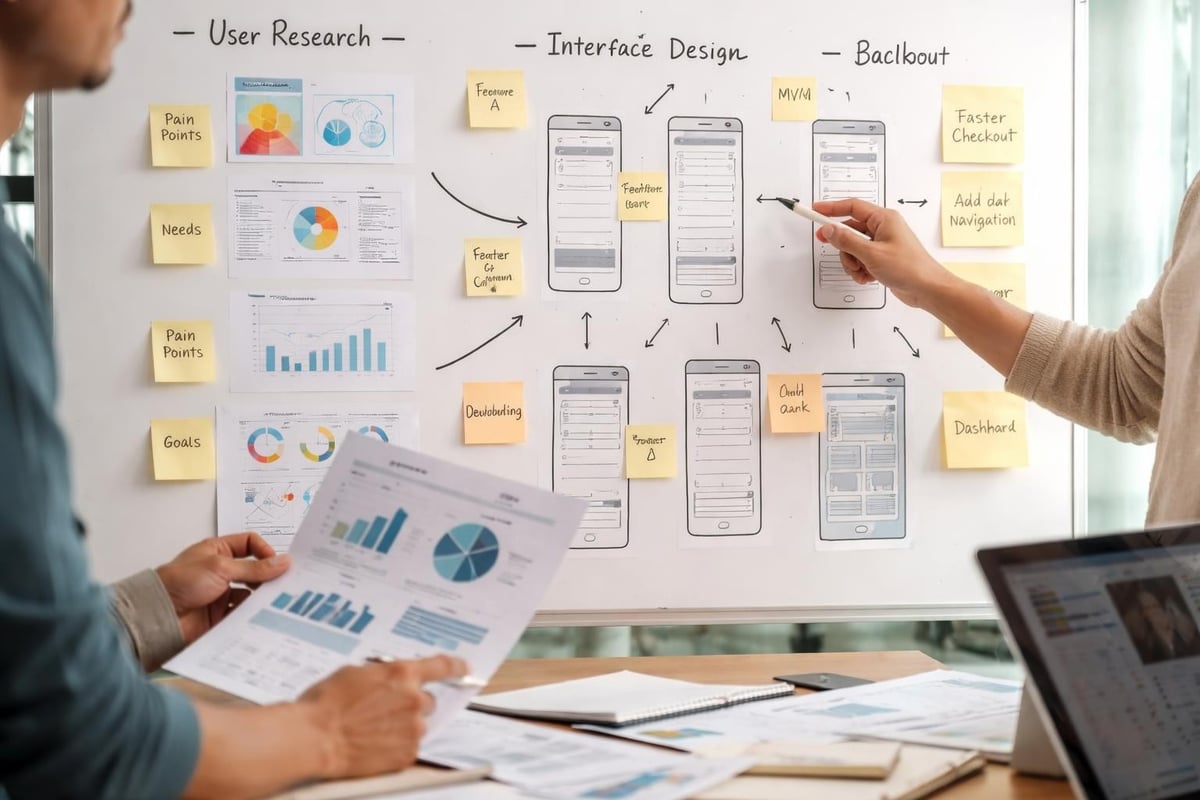
Application in design bridges the gap between abstract concepts and concrete deliverables. This translation process demands clear communication between stakeholders, designers, and developers-a challenge particularly acute for non-technical founders navigating product development for the first time.
Consider how design decisions cascade through a product. Choosing a navigation pattern affects information architecture, which influences database structure, which determines API design. Each choice creates ripple effects that either facilitate or complicate future development.
| Design Decision | Immediate Impact | Long-term Consequence |
|---|---|---|
| Mobile-first approach | Simplified initial scope | Easier responsive scaling |
| Component-based UI | Longer initial setup | Faster feature additions |
| Progressive disclosure | Gentler learning curve | More complex state management |
| Real-time updates | Enhanced user engagement | Increased infrastructure costs |
For startups building minimum viable products, the application in design takes on heightened importance. Every design choice must justify its existence against the dual criteria of user value and development effort.
Design thinking methodologies help founders identify which features deserve inclusion in an MVP. This process involves empathising with users, defining problems clearly, ideating potential solutions, prototyping quickly, and testing assumptions before committing to full development.
When developing MVPs, founders often struggle with scope creep-the temptation to add "just one more feature" that seems essential. Application in design provides frameworks for making these decisions objectively rather than emotionally.
Effective prioritisation considers:
The application in design extends beyond initial launch. Post-launch iteration requires systematic approaches to gathering feedback, identifying patterns, and implementing improvements without destabilising existing functionality.
Mobile platforms introduce specific constraints that significantly affect application in design. Screen size limitations, touch-based interactions, varying network conditions, and diverse device capabilities all demand thoughtful consideration.
Mobile application design requires understanding platform-specific conventions whilst maintaining brand consistency. iOS and Android users expect different interaction patterns-violating these conventions creates friction even in beautifully designed applications.
Responsive design represents one approach to application in design across devices. Rather than creating separate mobile and desktop versions, responsive frameworks adapt layouts dynamically. However, this approach requires careful planning to ensure critical functionality remains accessible on smaller screens without overwhelming users with complexity.
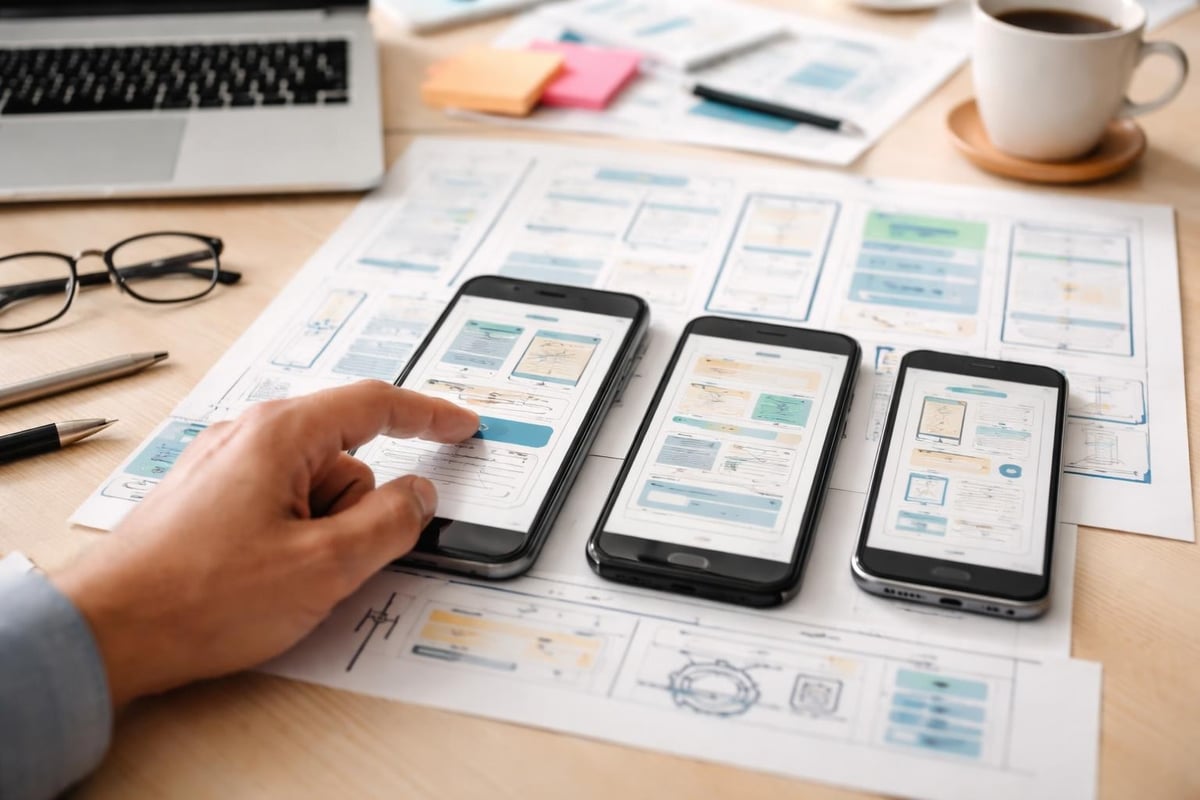
Application in design gains efficiency through systematic approaches. Design systems codify decisions about typography, colour, spacing, components, and patterns, creating reusable building blocks that accelerate development whilst ensuring consistency.
Startups often underestimate the value of design systems, viewing them as luxuries reserved for established companies. However, even basic systematic approaches to application in design pay dividends as products evolve.
A design system doesn't require comprehensive documentation from day one. Starting with simple guidelines about primary colours, standard spacing units, and reusable components provides enough structure to maintain consistency without stifling experimentation.
Essential design system components:
The application in design becomes more predictable and efficient when designers and developers share a common visual language. This shared understanding reduces back-and-forth communication and minimises inconsistencies that create confusion for users.
Modern application in design increasingly relies on component-based thinking. Rather than designing complete pages, designers create reusable components that combine to form interfaces. This approach aligns naturally with contemporary development frameworks and no-code platforms that emphasise modularity.
Components encapsulate both appearance and behaviour, creating self-contained units that function consistently wherever they appear. A "user profile card" component, for instance, displays the same information in the same format whether appearing in a list, sidebar, or modal dialogue.
This modular application in design accelerates development because new features often reuse existing components rather than requiring custom design work. It also ensures consistency because users encounter familiar patterns throughout their journey.
Application in design manifests most visibly through user experience decisions. These choices determine how users navigate products, complete tasks, and respond to errors or unexpected situations.
User flows map the paths users take to accomplish specific goals. Effective application in design creates the shortest possible path between intention and completion whilst providing appropriate guidance and feedback.
Consider a user registering for a new service. The application in design might involve:
Each decision affects conversion rates, user satisfaction, and support burden. UXPin's principles emphasise that successful mobile app design combines visual aesthetics with functional efficiency-a balance that requires intentional application in design throughout development.
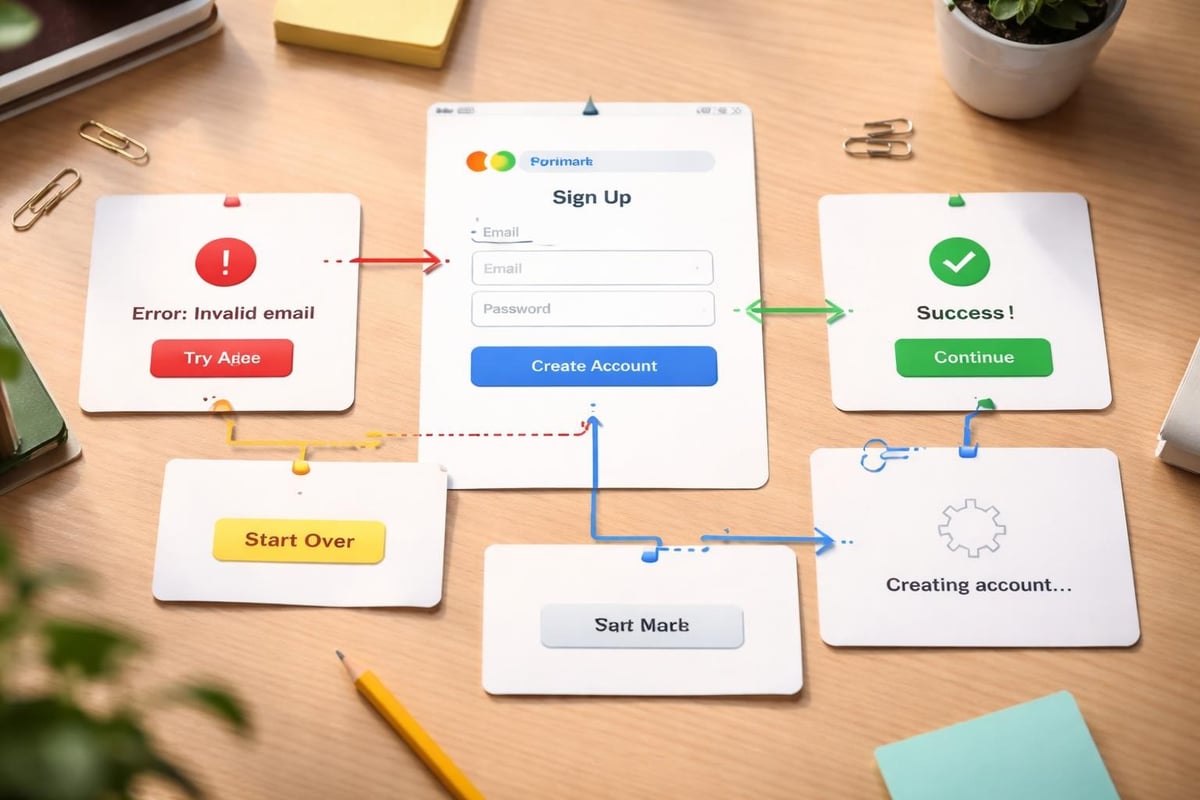
Application in design extends to how products communicate with users during both successful operations and failures. Well-designed feedback mechanisms build trust and confidence, whilst poor error handling frustrates users and increases abandonment.
Effective feedback design includes:
The application in design for error states often receives insufficient attention during MVP development. However, users inevitably encounter errors-network failures, validation issues, permission problems, or service outages. How products handle these moments significantly impacts user perception and retention.
Application in design requires understanding technical constraints and possibilities. Designers who ignore technical realities create unrealistic expectations, whilst developers who dismiss design considerations build functional but unloved products.
Information architecture decisions made during application in design directly influence database design. How information is categorised, related, and presented to users must align with how it's stored and retrieved technically.
For instance, IBM's documentation on application design emphasises planning database structures that support both current requirements and anticipated growth. This planning prevents painful migrations later when fundamental assumptions prove inadequate.
Common information architecture patterns include:
| Pattern | Best For | Challenges |
|---|---|---|
| Hierarchical | Content-heavy sites with clear categories | Deep nesting reduces discoverability |
| Network | Highly interconnected information | Can overwhelm users with too many paths |
| Sequential | Onboarding flows or multi-step processes | Users may want to skip or reorder steps |
| Hub-and-spoke | Dashboard-centric applications | Central hub becomes cluttered over time |
Application in design must account for performance from the outset rather than treating it as a post-launch concern. Design choices directly impact loading times, responsiveness, and resource consumption.
Heavy images, complex animations, real-time features, and inefficient layouts all affect perceived performance. Users abandon slow applications regardless of their visual appeal or functional capabilities. The application in design therefore includes optimisation strategies such as lazy loading, image compression, code splitting, and caching.
When working with platforms like Bubble.io, understanding platform-specific performance characteristics helps designers make informed trade-offs. Conditional logic can streamline workflows, but excessive conditions in visible elements can slow rendering.
Application in design requires validation through testing with real users. Assumptions made during design often prove incorrect when confronted with actual usage patterns and user expectations.
High-fidelity prototypes allow testing application in design before committing development resources. Interactive prototypes simulate real product behaviour, enabling users to complete tasks and provide meaningful feedback.
Prototyping serves multiple purposes: it validates assumptions, identifies usability issues, tests information architecture, and aligns stakeholders around shared vision. For startups, prototyping reduces risk by surfacing problems early when changes are inexpensive.
Prototyping approaches range from:
The appropriate prototyping fidelity depends on what questions need answering. Testing information architecture requires less visual polish than evaluating brand perception or emotional response.
Post-launch application in design relies on data to inform improvements. Analytics reveal how users actually behave versus how designers expected them to behave. Heat maps show where users click, session recordings reveal points of confusion, and conversion funnels identify abandonment stages.
Quantitative data answers "what" questions-which features get used, where users drop off, how long tasks take. Qualitative research answers "why" questions-what motivated choices, what caused confusion, what delighted or frustrated users.
Combining both types of insight creates comprehensive understanding that guides application in design improvements. A feature with low usage might seem like a failure until qualitative research reveals that it serves a critical but infrequent need for a specific user segment.
Application in design must consider diverse user needs, abilities, and contexts. Accessibility isn't merely regulatory compliance-it's good design practice that benefits all users whilst expanding addressable markets.
Inclusive application in design creates products usable by people regardless of their abilities, devices, or circumstances. This includes users with visual, auditory, motor, or cognitive disabilities, as well as situational limitations like bright sunlight or noisy environments.
Accessibility considerations include:
The application in design for accessibility often improves overall usability. Clear visual hierarchy helps everyone navigate more efficiently. Descriptive link text benefits users with screen readers and improves SEO. Keyboard navigation aids power users seeking efficiency.
Users access applications in varied contexts with different constraints. Mobile users might have limited bandwidth, bright sunlight affecting screen visibility, or single-hand operation whilst commuting. Desktop users might multitask across applications or use larger displays with more screen real estate.
Application in design accounts for these contexts by providing appropriate flexibility. Progressive enhancement ensures core functionality works universally whilst enhanced features activate when conditions support them. Responsive images serve appropriate resolutions based on device capabilities and network conditions.
Successful application in design requires effective collaboration between designers, developers, and stakeholders. Siloed approaches create misalignment, wasted effort, and suboptimal outcomes.
Designers and developers often speak different languages and prioritise different concerns. Designers focus on user needs and aesthetic coherence; developers emphasise technical feasibility and maintainability. The application in design succeeds when both perspectives inform decisions.
Design handoffs traditionally involved static mockups with annotations explaining intended behaviour. Modern approaches favour collaborative tools where designers and developers work within shared environments, reducing ambiguity and enabling rapid iteration.
For startups choosing the right tools for community app development, platform selection significantly affects designer-developer collaboration. No-code and low-code platforms can democratise application in design by enabling designers to build functional prototypes that developers then optimise and extend.
Agile methodologies have transformed application in design from waterfall processes (complete all design before development starts) to iterative cycles where design and development proceed in parallel. This approach enables faster learning and course correction but requires different working practices.
Design sprints compress application in design activities into focused timeframes, typically one or two weeks. Teams rapidly prototype and test solutions to specific problems, gathering user feedback before committing significant development resources. This validation reduces risk whilst maintaining momentum.
| Design Approach | Timeline | Best For | Limitations |
|---|---|---|---|
| Waterfall | Months | Stable requirements, regulatory constraints | Slow feedback, rigid scope |
| Agile/Scrum | Weeks | Evolving products, continuous improvement | Requires discipline, can lack cohesion |
| Design Sprint | Days | Specific problems, rapid validation | Limited scope, intensive resource commitment |
| Continuous Discovery | Ongoing | Mature products, optimisation | Requires established user base |
Application in design transforms abstract ideas into tangible products that users embrace and businesses build upon. For entrepreneurs developing MVPs, understanding how design principles apply throughout the development lifecycle ensures resources focus on what genuinely matters-solving real user problems effectively.
Whether you're refining an existing concept or starting from scratch, Creator Concepts helps founders translate vision into validated products through systematic application in design and rapid MVP development. Our Bubble.io expertise enables us to build scaleable applications that balance user experience, technical feasibility, and business objectives-launching in weeks rather than months.
© 2026 CreatorConcepts Limited
128 City Road, London EC1V 2NX