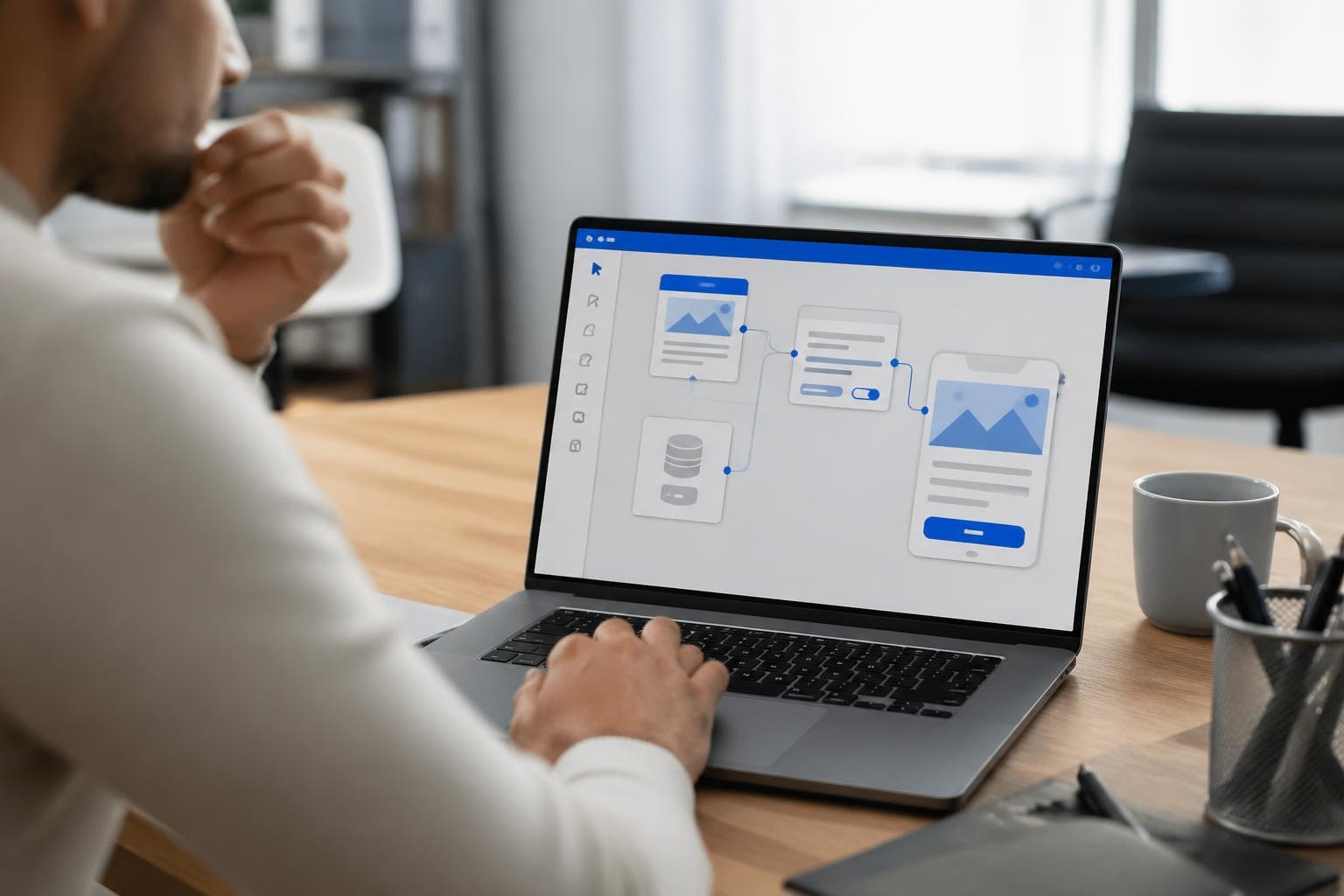

Building an iPhone application has become increasingly accessible to entrepreneurs and startups in 2026, with options ranging from traditional Swift development to innovative no-code platforms. Whether you're a technical founder or a non-technical entrepreneur with a vision, understanding the landscape of iphone app building is essential for making informed decisions about your product development strategy. The mobile app market continues to grow, with iOS users representing a particularly valuable demographic for businesses seeking to validate ideas and generate revenue.
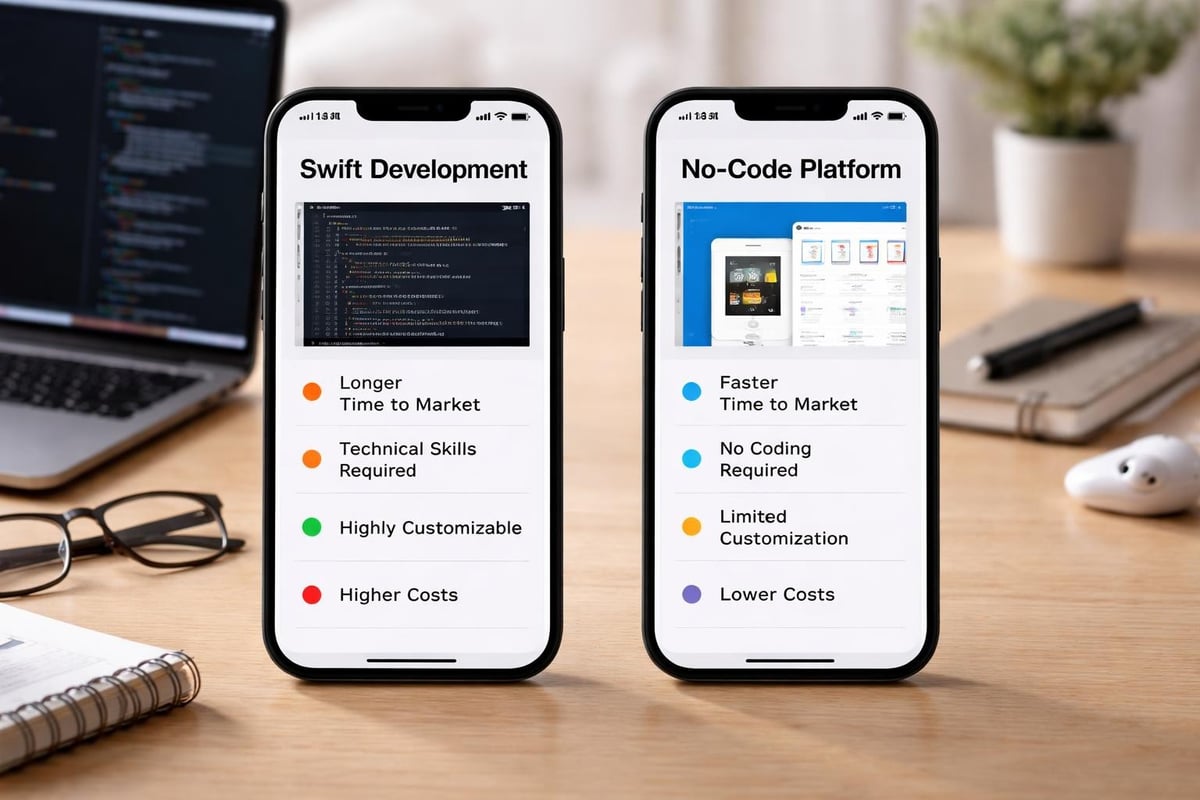
The world of iphone app building has evolved dramatically over the past few years. Traditional development approaches coexist alongside modern no-code and low-code solutions, each offering distinct advantages depending on your project requirements, timeline, and technical expertise.
Native iOS development remains the gold standard for applications requiring maximum performance and deep integration with Apple's ecosystem. Apple's iOS development planning guide outlines the official pathways for building apps using Swift and SwiftUI, Apple's modern programming language and declarative framework.
Key characteristics of traditional development:
The traditional route typically involves learning Swift, mastering Xcode (Apple's integrated development environment), and understanding iOS design patterns. For those starting from scratch, tutorials like this SwiftUI introduction provide foundational knowledge for building basic applications.
The rise of no-code platforms has democratized iphone app building, enabling entrepreneurs without programming backgrounds to bring their ideas to life. These platforms provide visual interfaces and pre-built components that significantly reduce development time and technical barriers.
Popular no-code approaches include:
For founders focused on rapid validation, MVP development services can help translate ideas into functional prototypes within weeks rather than months.
Successful iphone app building begins long before writing a single line of code. Strategic planning determines whether your application will resonate with users and achieve business objectives.
Every successful iPhone application solves a specific problem or fulfills a particular need. Before diving into development, clearly articulate:
| Planning Element | Questions to Answer | Impact on Development |
|---|---|---|
| User personas | Who will use this daily? What are their goals? | Feature prioritization |
| Problem statement | What frustration are we eliminating? | Core functionality focus |
| Success metrics | How do we measure value delivery? | Analytics implementation |
| Monetization strategy | How does this generate revenue? | Payment integration needs |
iPhone users expect polished, intuitive interfaces that align with Apple's Human Interface Guidelines. Investing time in wireframing prevents costly revisions later in the development process.
Essential wireframing considerations:
Many founders find that sketching initial concepts on paper or using simple wireframing tools helps validate ideas before committing to full development. This approach aligns with lean startup principles that prioritize learning and iteration.
Understanding the technical components of iphone app building helps you make informed decisions, whether you're developing in-house, hiring developers, or using no-code solutions.
For those pursuing traditional development, Apple provides comprehensive tools through Xcode. The basic "Hello World" tutorial demonstrates fundamental concepts including storyboards, Auto Layout, and code connection.
Setting up your development environment involves:
Required hardware and software:
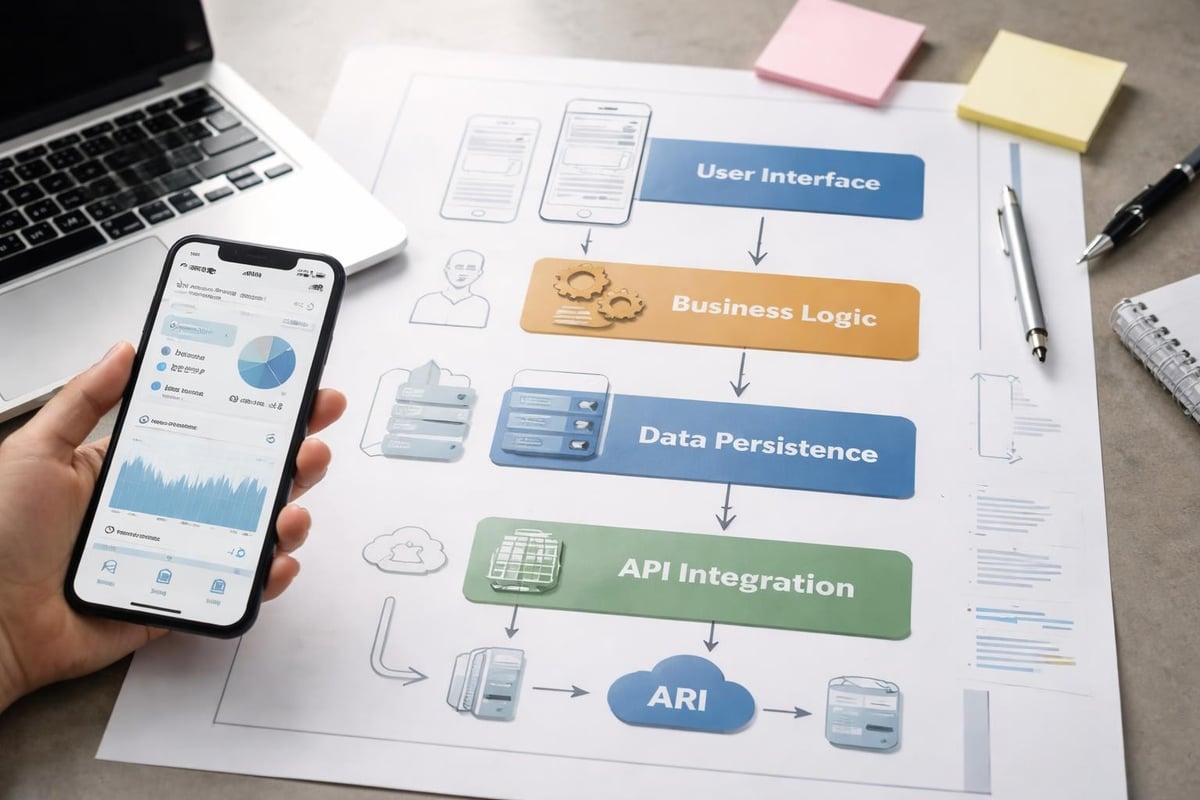
Modern iPhone applications require thoughtful architecture to ensure scalability and maintainability. Whether building with Swift or no-code tools, understanding data flow and state management is crucial.
Key architectural considerations include:
Apple's cellular data best practices outline essential strategies for efficient network usage, particularly important for apps that sync data or stream content.
The actual building phase of iphone app building varies significantly based on your chosen approach, but certain principles remain consistent across methodologies.
Successful founders resist the temptation to build everything at once. Instead, they focus on the minimum viable product (MVP) that validates core assumptions about user needs.
MVP feature selection criteria:
When working with platforms like Bubble.io, which powers many successful mobile applications, entrepreneurs can rapidly prototype and test features before committing to full development. This approach significantly reduces risk and development costs whilst maintaining flexibility for pivoting based on user feedback.
iPhone users expect responsive, beautiful interfaces. Whether coding in SwiftUI or using visual builders, attention to detail in UI implementation separates amateur apps from professional ones.
Critical UI implementation areas:
The iOS development best practices guide emphasizes the importance of consistent design language and performance optimization throughout the development process.
Most modern applications integrate external services for analytics, payments, authentication, or enhanced functionality. Understanding how to properly implement these integrations is fundamental to iphone app building.
| Service Category | Common Providers | Integration Complexity | Typical Use Cases |
|---|---|---|---|
| Analytics | Firebase, Mixpanel | Low | User behavior tracking |
| Authentication | Auth0, Firebase Auth | Medium | User login and security |
| Payments | Stripe, Apple Pay | Medium-High | Monetization |
| Push notifications | OneSignal, Firebase | Medium | User engagement |
| Crash reporting | Crashlytics, Sentry | Low | Quality assurance |
Rigorous testing distinguishes professional applications from hobby projects. In the context of iphone app building, testing encompasses multiple dimensions beyond simple functionality verification.
Comprehensive testing strategies include:
TestFlight, Apple's official beta testing platform, enables developers to distribute pre-release versions to up to 10,000 external testers. This feedback loop proves invaluable for identifying issues and gathering insights before public launch.
Research into common iPhone app development mistakes reveals patterns that consistently plague inexperienced developers. Learning from these mistakes saves time and resources.
Frequent development mistakes:
Security deserves particular attention in iphone app building. Following iOS security best practices ensures user data remains protected through proper encryption, validation, and secure network connections.
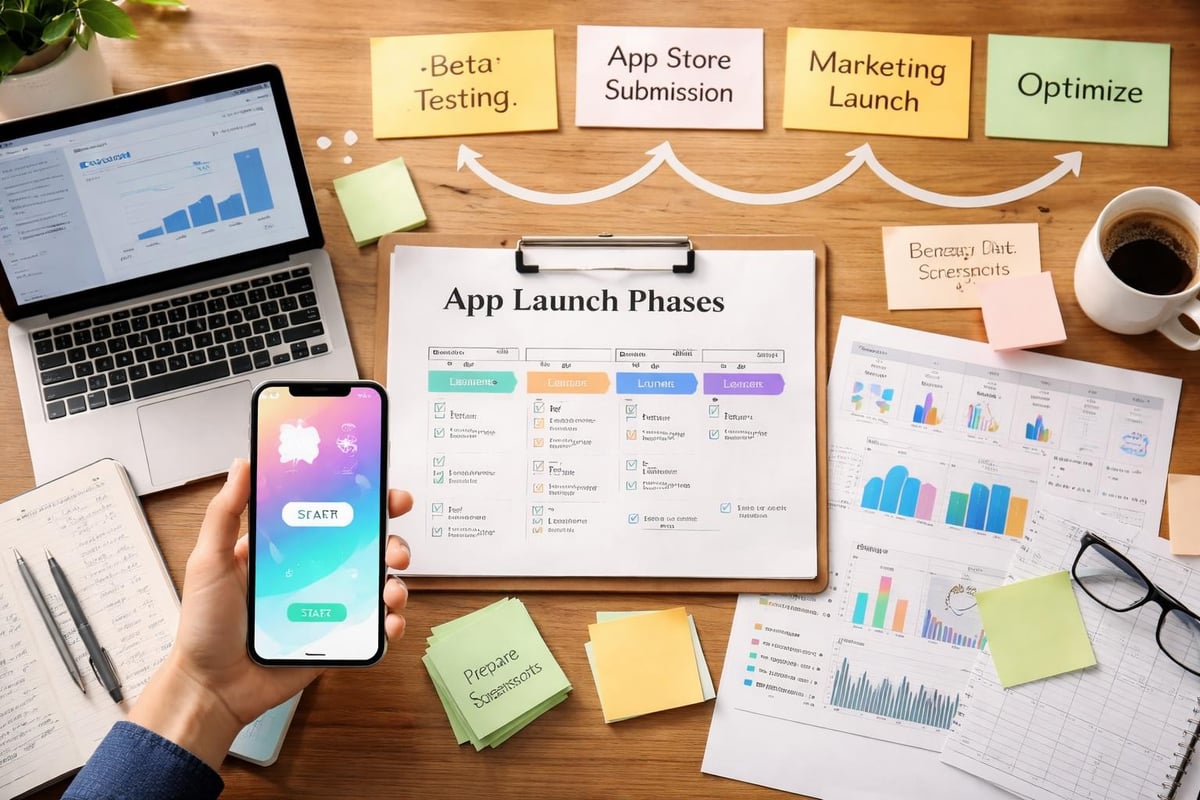
Successfully launching an iPhone app requires more than uploading files to the App Store. Strategic planning around timing, marketing, and post-launch support determines initial traction and long-term success.
Apple's review process maintains quality standards across the App Store but can seem daunting for first-time developers. Understanding requirements upfront prevents rejection and delays.
Submission checklist:
The review process typically takes 24-48 hours, though complex apps or those touching sensitive categories may require additional scrutiny. Planning your app launch strategy around these timelines ensures coordinated marketing efforts.
Launching represents the beginning, not the end, of your application's journey. Successful founders continuously iterate based on user behavior and feedback.
Key post-launch activities include:
For entrepreneurs without technical backgrounds, selecting the right development partner is perhaps the most critical decision in the iphone app building journey. The partnership quality directly impacts product success, timeline adherence, and budget management.
Modern entrepreneurs face several partnership models:
When comparing options, no-code web development platforms offer compelling advantages for startups prioritizing speed to market and iterative development. These platforms enable rapid prototyping whilst maintaining professional quality standards.
For founders seeking to validate ideas quickly, specialized MVP development services provide structured approaches to iphone app building. These services typically offer:
We help founders and startups validate their ideas using scaleable MVPs designed, built and launched with them in weeks, not months. This approach particularly suits entrepreneurs who need to demonstrate traction to investors or customers before committing to full-scale development.
Understanding cost structures in iphone app building helps founders set realistic expectations and make informed decisions about resource allocation.
Development costs vary dramatically based on methodology, complexity, and quality requirements:
| Development Approach | Typical Cost Range | Timeline | Best For |
|---|---|---|---|
| DIY with tutorials | £0 - £500 | 3-12 months | Technical founders with time |
| No-code platforms | £5,000 - £25,000 | 4-8 weeks | MVP validation |
| Freelance developers | £15,000 - £60,000 | 3-6 months | Specific features |
| Development agencies | £40,000 - £150,000+ | 4-12 months | Complex applications |
| In-house team | £200,000+ annually | Ongoing | Established businesses |
These estimates include design, development, and initial testing but exclude ongoing operational costs such as hosting, third-party services, and maintenance.
Beyond initial development, sustainable iphone app building requires budgeting for:
Applications that gain initial traction require strategic scaling to accommodate growth whilst maintaining performance and user experience quality.
As user numbers increase, your infrastructure must evolve. Key scaling dimensions include:
Backend infrastructure:
Application architecture:
For applications built on platforms like Bubble.io, understanding whether the platform scales appropriately for your use case becomes essential as you grow. Many successful applications start on no-code platforms before migrating specific components to custom code as needed.
Growing applications require growing teams. Successful scaling involves:
The transition from startup to scale-up represents a critical juncture where many applications falter. Planning for this transition during initial iphone app building phases prevents costly restructuring later.
Data-driven decision-making separates successful applications from those that struggle to find product-market fit. Establishing measurement frameworks early in your iphone app building process enables informed iteration.
Essential metrics for iPhone applications include:
Tracking these metrics through tools like Firebase Analytics, Mixpanel, or App Store Connect provides insights into user behavior and application health. Regular review of these numbers informs feature prioritization and optimization efforts.
Successful applications evolve through systematic improvement:
This cycle aligns with agile development methodologies and ensures your application remains competitive as market conditions and user expectations evolve.
Building an iPhone application in 2026 offers entrepreneurs unprecedented opportunities to reach valuable users and validate business concepts rapidly. Whether you choose traditional Swift development or modern no-code approaches, success requires strategic planning, user-focused design, and commitment to continuous improvement. If you're ready to transform your idea into a functional iPhone application that users love, Creator Concepts can help you navigate the iphone app building journey from concept to launch, delivering award-winning MVPs that validate your vision and accelerate your path to market.
© 2026 CreatorConcepts Limited
128 City Road, London EC1V 2NX